

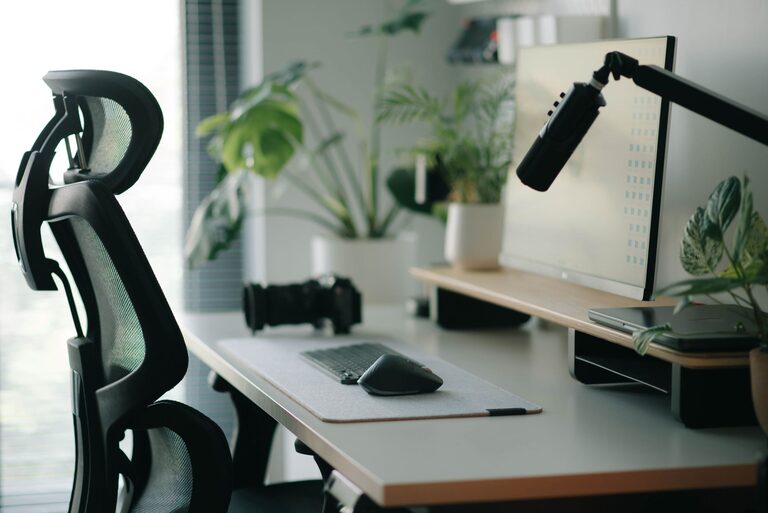
Creating an effective and comfortable desk setup is essential for maintaining focus, productivity, and overall wellbeing throughout your workday. Whether you work from home, in an office, or study regularly at your desk, a thoughtfully arranged workspace can make a significant difference in how efficiently and comfortably you perform your tasks.
In this post, we’ll explore practical tips to help you design a desk setup that fosters concentration and supports your comfort, so you can work smarter, not harder.
Why a Good Desk Setup Matters
Your desk setup does more than just hold your computer and supplies. It influences your posture, energy levels, and ability to concentrate. An ergonomic and organized workspace can reduce physical strain, prevent discomfort, and minimize distractions. As a result, you can stay focused longer and complete your work more efficiently.
Choose the Right Desk and Chair
Desk Height and Size
Select a desk that fits your space and provides enough surface area for your computer, notebooks, and any tools you frequently use. A desk with adjustable height is ideal, allowing you to switch between sitting and standing positions—promoting circulation and reducing fatigue.
Ergonomic Chair
Invest in a comfortable chair that supports your lower back and encourages good posture. Look for adjustable features such as seat height, backrest tilt, and armrests. Sitting correctly can prevent back and neck pain, making it easier to focus on your tasks.
Optimize Monitor and Screen Placement
Position Your Monitor at Eye Level
Place your monitor directly in front of you, about an arm’s length away, with the top of the screen at or slightly below eye level. This arrangement helps reduce neck and eye strain.
Use a Monitor Stand or Laptop Riser
If your monitor or laptop screen is too low, use a stand or riser to elevate it. This simple adjustment promotes better posture and comfort during long work sessions.
Organize Your Workspace for Efficiency
Keep Frequently Used Items Within Reach
Arrange pens, notepads, headphones, and other essentials within easy reach to avoid unnecessary stretching or searching. Use desk organizers, trays, or small containers to keep these items tidy.
Minimize Clutter
A clutter-free desk reduces distractions and helps you focus. Remove unnecessary items and only keep what you need for your current tasks on your desk surface.
Use Cable Management Solutions
Tangled cords can be distracting and messy. Use cable clips, sleeves, or trays to keep wires organized and out of the way.
Enhance Lighting for Comfort and Focus
Utilize Natural Light
Position your desk near a window to take advantage of natural light. It can improve mood and reduce eye strain. However, avoid placing your screen directly in front of or behind the window to prevent glare.
Add Adjustable Task Lighting
A desk lamp with adjustable brightness and color temperature allows you to customize lighting for your needs. Soft, warm light can create a cozy atmosphere, while bright, cool light helps keep you alert.
Incorporate Comfort and Personal Touches
Use a Comfortable Keyboard and Mouse
Choose input devices that fit your hand size and typing style. Ergonomic keyboards and mice can help reduce strain on your wrists and hands.
Add Supportive Accessories
Consider a wrist rest or an ergonomic mouse pad to improve comfort during extended use.
Personalize Your Space
Adding a few personal touches such as plants, photos, or artwork can create a welcoming environment that motivates you without creating distractions.
Maintain Good Posture and Take Breaks
Position Your Body Correctly
Sit with your feet flat on the floor or on a footrest, knees at a 90-degree angle, and back supported by your chair. Keep your wrists straight while typing and your elbows close to your body.
Schedule Regular Breaks
Take short breaks every hour to stand, stretch, and rest your eyes. This helps prevent fatigue and improves overall productivity.
Keep Your Desk Clean and Fresh
Clean Regularly
Wipe down your desk, keyboard, and mouse regularly to maintain hygiene and freshness.
Declutter Daily
Spend a few minutes at the end of each day organizing your desk to start the next day with a clean, inviting workspace.
—
By following these desk setup tips, you can create a workspace that supports both your focus and comfort. Small changes in your environment can lead to big improvements in your daily productivity and overall wellbeing. Start optimizing your desk today to enjoy a more pleasant and efficient work experience.